source file name: MenuDemo3.java import java.awt.*; import java.awt.event.*; class MenuDemo3 extends Frame implements ActionListener { String sh=""; Color col=Color.pink; public static void main(String[] args) { MenuDemo3 f=new MenuDemo3(); f.setTitle("Menu Program"); f.setSize(400,500); f.…
Read more14) The windows program that displays shapes on Canvas using Card Layout Manager
source file name: CardLayoutDemo1.java import java.awt.*; import java.awt.event.*; class circle extends Canvas { public circle() { setBackground (Color.gray); setSize(300, 200); } public void paint(Graphics g) { g.setColor(Color.red); g.fillOval(100,100,80,80); } } class square extends C…
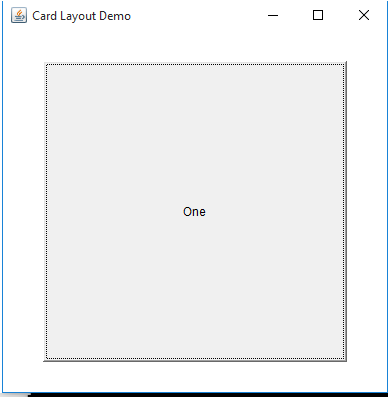
Read moresource file name: CardLayoutDemo.java import java.awt.*; import java.awt.event.*; public class CardLayoutDemo extends Frame implements ActionListener { CardLayout card; Button b1,b2,b3; Panel p; public CardLayoutDemo() { p=new Panel(); card=new CardLayout(40,30); p…
Read moresource file name: BorderDemo.java import java.awt.*; import java.awt.event.*; class BorderDemo extends Frame { String str="National Pledge"+ "\n India is my country and all Indians are my brothers and sisters."+ "\n I love my country and I am proud of its rich and varied heritage."+ &qu…
Read moresource code name: awtbiodata.java import java.awt.*; import java.awt.event.*; class awtbiodata extends Frame implements ActionListener { Label l1,l2,l3,l4,l5,l6,l7; TextField t1,t2,t3; TextArea ta; List ls; Choice ch; Checkbox cb1,cb2; public awtbiodata() { GridLayout fl=new GridLayout(0,2,10,10); setLa…
Read moresource code name: drawpolygons.java import java.awt.*; class drawpolygons extends Frame { int x[]={100,60,60,100,150,150}; int y[]={100,150,200,250,200,150}; int x1[]={200,120,280}; int y1[]={270,350,350}; int x2[]={300,220,300,380}; int y2[]={100,150,220,150,}; public void paint(Graphics g) { g.drawPolygon(x,y,6); …
Read moresource code name: showimage.java Image source file existence is mandatory import java.awt.*; class showimage extends Frame { public static void main(String as[]) { System.out.println("windows programming"); showimage f=new showimage(); f.setTitle("Image Display Program"); f.setSize(300,500); f.…
Read moresouce code: dateshow.java import java.awt.*; import java.util.*; import java.awt.event.*; class dateshow extends Frame { Font f1=new Font("High Tower Text",Font.BOLD,18); Label lb; public dateshow(){ setLayout(null); lb=new Label("date"); // create label Button b1=new Button(&q…
Read moresource code : randomcolor.java import java.awt.*; import java.awt.event.*; class randomcolor extends Frame { Color col=Color.green; public randomcolor(){ setLayout(null); Button b1=new Button("randomcolor");//create button b1.setBounds(100,80,100, 40); add(b1);//adding button on fra…
Read moresource code: calc.java import java.awt.*; import java.awt.event.*; class calc extends Frame implements ActionListener { TextField t1,t2, t3; public calc() { FlowLayout fl=new FlowLayout(); setLayout(fl); Label l1=new Label("enter a no:"); Label l2=new Label("enter b no"); Label l3=new Label("…
Read moresource code: fillrect.java import java.awt.*; import java.awt.event.*; class fillrect extends Frame implements ActionListener { Color col=Color.pink; public fillrect() { FlowLayout fl=new FlowLayout(); setLayout(fl); Button b1=new Button("red"); Button b2=new Button("green"); Button b3=new Button(…
Read moresource code: login.java import java.awt.*; import java.awt.event.*; class login extends Frame implements ActionListener { TextField t1,t2; public login() { FlowLayout fl=new FlowLayout(); setLayout(fl); Label l1=new Label("user name"); Label l2=new Label("password"); t1=new TextField(15); t2=new…
Read more3) write windows programs that fills different colors to Rectangle, Circle , Square and Oval.
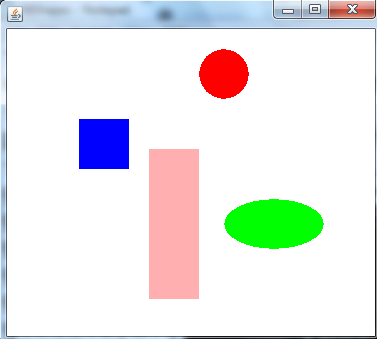
source code : fillShapes.java import java.awt.*; class fillShapes extends Frame { public void paint(Graphics g) { g.setColor(Color.blue); g.fillRect(80,120,50,50); g.setColor(Color.pink); g.fillRect(150,150,50,150); g.setColor(Color.red); g.fillOval(200,50,50,50); g.setColor(Color.green); g.fillOval(225,200,100,50);…
Read more2) Write a window program that display Line , Rectangle , Square , Circle and Ellipse shapes.
source code: drawShapes.java import java.awt.*; class drawShapes extends Frame { public void paint(Graphics g) { g.drawLine(100,100,50,100); g.drawRect(80,120,50,50); g.drawRect(50,200,50,150); g.drawOval(200,50,50,50); g.drawOval(200,200,100,50); } public static void main(String as[]) { drawShapes f=new drawShapes…
Read more1) Write a Windows program that display three different text with three different Fonts types.
source code : drawingtext.java import java.awt.*; class drawingtext extends Frame { Font f1=new Font("Courier",Font.BOLD,32); Font f2=new Font("Edwardian Script ITC",Font.BOLD,36); Font f3=new Font("Times New Roman",Font.ITALIC,50); public void paint(Graphics g) { g.setFont(f1); g.draw…
Read more